Case study
Madi: a classroom LAN chat and study app
A chat and study app my training-program classmates use every day, running on one classroom PC over the local network.
- Context
- Personal project, built outside the curriculum during the Physical AI & Smart Factory Training Program
- Period
- Aug 2026 – present
- Status
- In use by my class of 22; adoption across three floors of the training center (about 200 people) under discussion
- Stack
- Python · FastAPI · WebSocket · SQLite · Jinja2 · JavaScript · Gemini API
- How it was built
- I started it, decide what it does, and run it for the class. An AI coding agent wrote much of the code under my direction. A classmate contributed the first chess implementation through a pull request, which I reworked to fit the app.
The problem
My class of 22 needed one place for announcements, questions, course files, and practice during the six-month program.
I built it to run on a single classroom PC, with its core features working over the local network without internet access.
What I built
- Accounts with Argon2id-hashed passwords, a class enrollment code the admin can close once everyone has joined, 12-hour sessions, and rate-limited login.
- Real-time channels and direct messages over WebSocket, with mentions, replies, Markdown, pins, search, and read state that persists across sessions.
- File sharing with account-based permissions and per-user and total storage limits.
- Daily quizzes on PLC, automation, and electrical topics, with streaks and a leaderboard. Anyone can build a question set, and Gemini can draft questions from a PDF or text.
- Turn-based games with server-validated moves: chess (started by a classmate), janggi, omok, and othello.
Architecture
Walkthrough
How the class uses it. Screens are from a demo instance with fictional users.
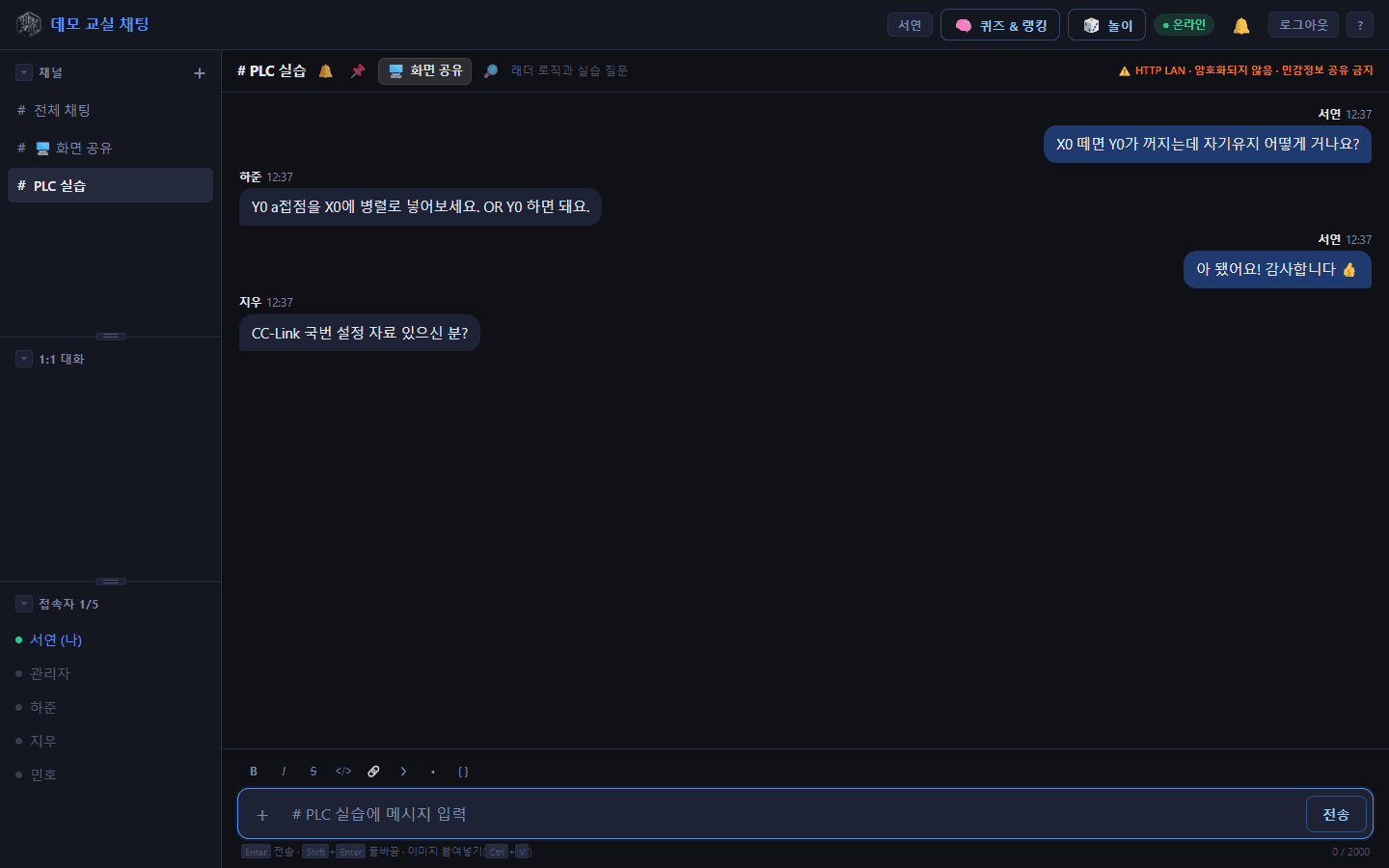
1.Questions get answered by classmates
Each subject gets its own channel. A ladder-logic question in the PLC channel gets an answer from another student, and the thread stays searchable for the next person who hits the same problem.
2.Daily practice that counts
The daily quiz keeps a streak and a leaderboard. Ladder-input questions accept equivalent answers, so “Y0”, “Y00”, and “OR Y0” are all marked correct for a self-holding contact.
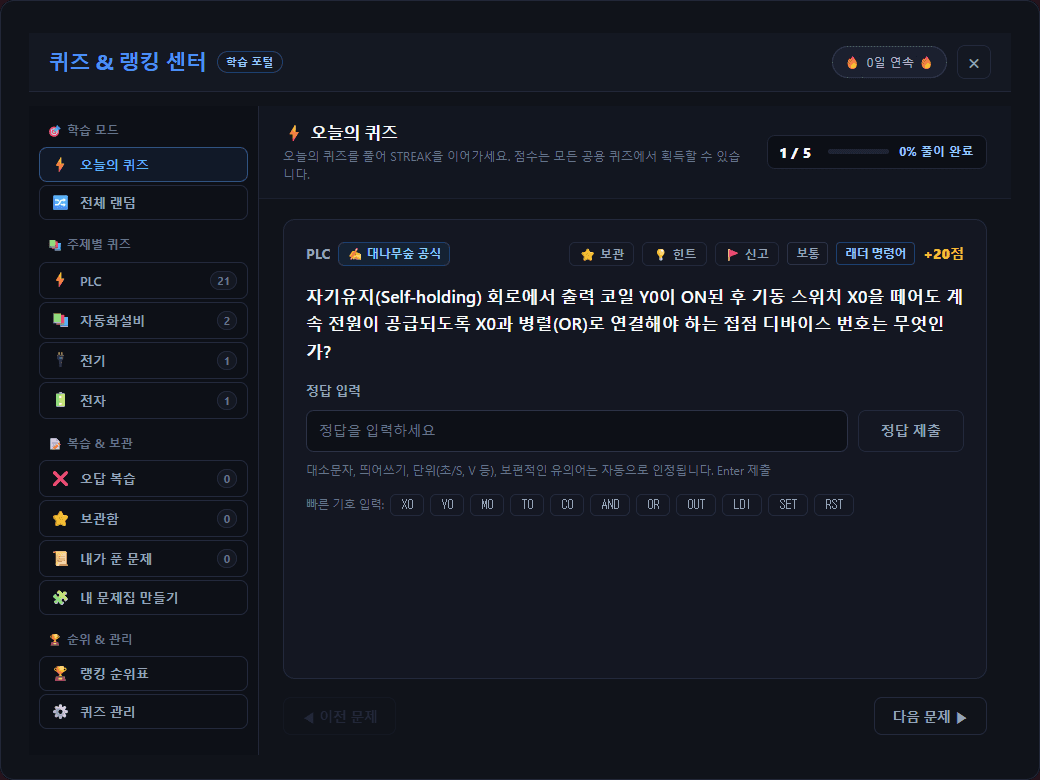
Today's quiz: a ladder-input question on a self-holding circuit.
Design decisions
- LAN first. It runs on one classroom PC, and the core features need no internet. External AI is opt-in, and the README states exactly what is sent to Gemini.
- Honest about its security boundary. It serves plain HTTP on a trusted network, so the app shows a banner telling people not to share sensitive information, and the README rules out exposing it through port forwarding.
- No plain-text secrets. The admin password and enrollment code are stored only as Argon2id hashes, and message, upload, and login rates are limited.
- Data lives outside the code. The SQLite database and uploads sit in a separate data folder, so updates and restarts keep the class history, and schema migrations run on startup.
How it's verified
- 273 automated tests pass (run Oct 1, 2026), covering channels, direct messages, identity, and each game engine and manager.
- In daily use by the class since August 2026 for chat, direct messages, file sharing, quizzes, and games.
What this doesn't show yet
- It's built for a trusted classroom network over plain HTTP, not for the public internet.
- It depends on one classroom PC staying on; there is no separate hosting yet.
- The games grew faster than the classroom features. I'm now refocusing on what helps the class learn.
- I don't collect usage analytics, so I don't quote engagement numbers.
Next
- A central-hub prototype (on the edu/prototype branch) with instructor and student roles per cohort, PostgreSQL, and SFU-based screen sharing for several classrooms. It is not deployed yet.
- Move hosting off a single classroom PC once the academy's network and equipment are confirmed.